Pebble electrical panel, charging, and surge-protection discussion
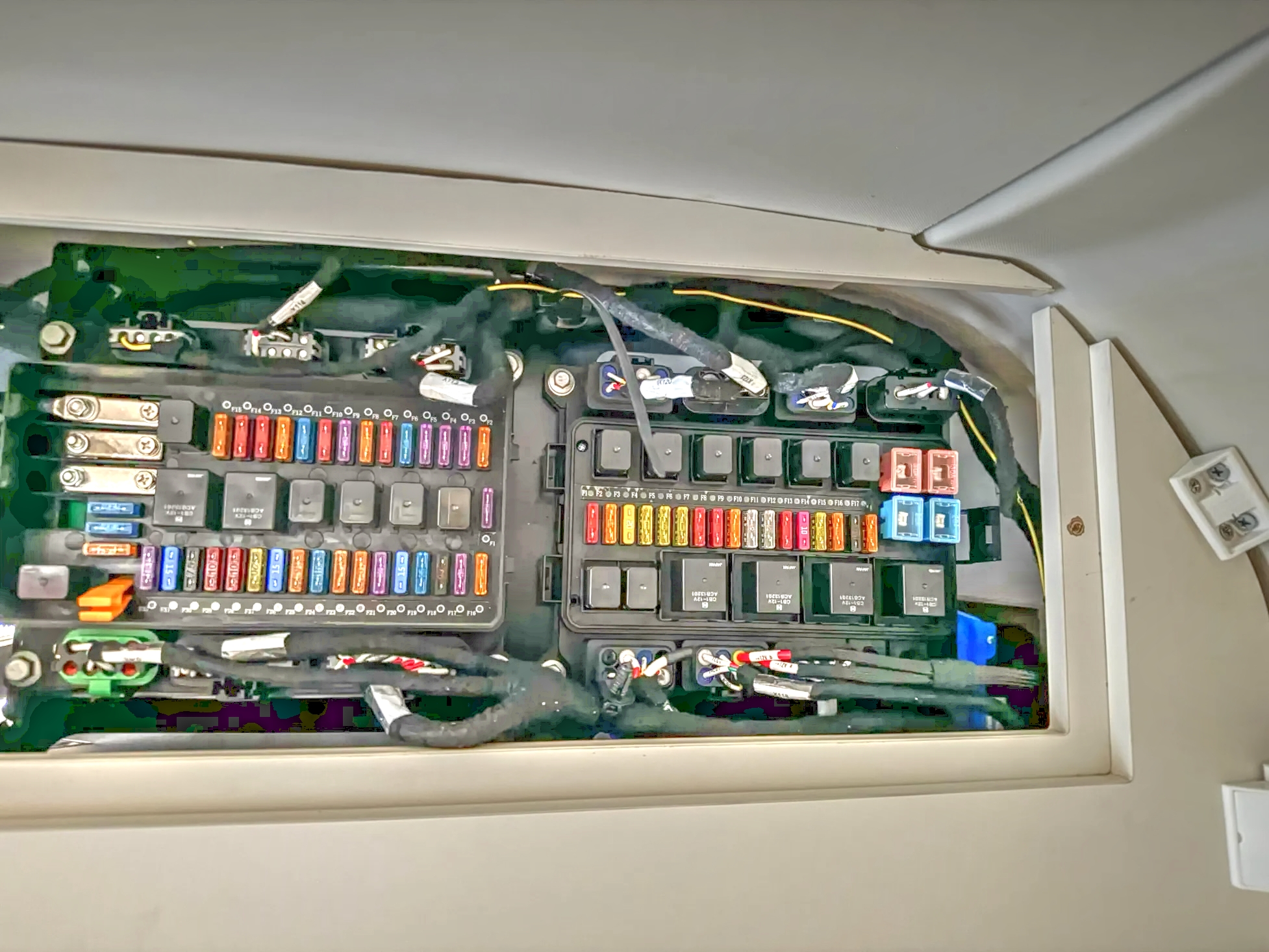
Not what was asked for, but thought I would add this to the thread: the electrical panel on the wardrobe. I travel with extra fuses; haven’t had to use them, but like to be prepared.
There is a 12V battery in the front. I wonder if it is accessible.
So help me here… is this correct? All inbound power comes via the CCS1 port or via solar panel integration into the HV battery. So there is no typical shore-power connection to a 50A or 30A campground or home outlet direct into the 120/240V circuits of the Pebble. Instead, shore power will be via a 240V 50A or 240V 30A or 120V 15/20A female outlet providing power via some type of adapter cord feeding into a portable L1/L2 charger box that then feeds into the CCS1 port on the trailer, which charges the HV battery from which all the 120V/240V trailer circuits are fed. Or, of course, DC fast charging via the same CCS1 port. Is all this right?
So there is no way to keep a minimal electrical circuit alive in the trailer when stored other than keeping it plugged into a CCS1 charger, which maintains the HV battery. So to keep it heated or cooled or ventilated or Wi-Fi connected or whatever, it is HV battery constantly charge cycling. Does the supplied charger box or the OEM Battery Management System (access via the iPad) provide scheduling options, now or planned? Or will I need to physically put the trailer to sleep/wake via the iPad, or plug/unplug the charging circuit to cycle charging on and off?
And when using a campground power pedestal, do I need to provide a traditional surge protector to protect my trailer or shut down systems for brownouts? If so, will that work connected to the input to the charger box connected to the CCS1 port? So many questions…
I'll refrain from speculating on the internal electrical system and the relationship between the HV and 12V systems, but your basic statement is correct: the only power input is via the CCS port. The Pebble comes with a power supply that is natively 50A NEMA 14-50 and also includes adapters for 30A and 15A service via TT30 and 15/20A household adapters. The power supply has some “smarts” in that it has controls to allow you to derate the power supply in increments between 6A and 32A to adapt to whatever you're plugged into. It also has timer features which I haven't actually used yet. It also has a really nice long cord—maybe 40 feet?—that is long enough to charge your tow vehicle at a campsite even when parked in front of the Pebble.
The Pebble-provided charger plugs into a NEMA 14-50 (or 30A or 15A with provided adapters) like any shore-power cord. I do use a surge protector, but that is your option. I haven’t used the timer function on the charger. In campgrounds, I’m swapping the Pebble charger between the Pebble and my R1T as needed.
Pebble advised me to put the unit to sleep and not leave it plugged in while in storage, so yes, the pack must be maintaining the 12V battery and will lose some SOC. The iPad does not show 12V battery SOC, which would be nice. As Pebble did remotely do an OTA update recently, it is obvious that there is some computer and cellular activity going on even in sleep mode. I am gathering SOC data from my weekly visits, during which I energize the unit and top up the pack to about 80%. I have requested remote SOC monitoring capability similar to my EVs. I also suggested that the owner's guide could offer more guidance on charging during storage.
I’m not familiar with other mobile charge connectors, but I think most are limited to 32 amps. If so, those connectors would be limited to about 7.7 kW of power.
Visited my Pebble in covered storage today. Frustrated that my Pebble iPad couldn’t connect to the unit. Called service. Apparently an OTA update this week caused some login issues. Had to use another device to change my password on Pebblelife.com and then connect the iPad via external Wi-Fi to my unit. Definitely a bit convoluted for my preferences and abilities. Made me wish for a full-function hard-wired control pad.
Then the shocker: with my unit fully asleep for seven days, my SOC decreased from 63% to 43%. How much did the OTA update consume?
In my opinion, Pebble could do a much better job of communicating OTA updates, login issues, and pack management in storage.
It is much better than in the early days and I'm hoping they can improve with future updates. Initially sleep didn't fully sleep and drained the battery pretty quickly. It's gotten much better—efficient and user-friendly. I'm hopeful that future updates will show improvements, as they have been making good progress.
I too am optimistic regarding improvements. It’s a new product that is now getting real-world use from people who have camping experience and high expectations. The Pebble team has been very responsive to feedback.
Regarding surge protection, the included Pebble charging cable has many protections against potential electric-grid abnormalities from coming into the Pebble. It has protections for overvoltage, lightning, ground faults, and surge protection. It is also UL certified. So, no additional external surge protection is necessary. The outlets onboard the Pebble are protected against overvoltage and overcurrent and, in wet locations, have GFCI protection.
Thanks for sharing that info with us. Built-in surge and wiring-fault protection is awesome—one less module to carry in my electrical box.
So does that mean we are protected from surges through the Pebble charger from a Pebble warranty standpoint? 🤔
Traveling light is good, especially with limited storage. I’ll just continue using my surge protection based on my experience until Pebble offers a definitive answer regarding warranty and replacement of a surge-damaged charger. Even then, discarding a blown surge protector is a lot easier than replacing a charger while on an extended camping trip.
Are you sure that is not from the International Space Station? 😉
That's a lot of 12V circuits, assuming it is all 12V. Which I hope it is based on the type of fuses used and exposed bussing. Agree that electrical diagrams are a must-have as an owner.
Thanks. Is the ceiling gap still visible once you replace the panel cover?
I enhanced the image to get more detail. Glad to see they are using “automotive” style wire bundling. Other than Lightship, no other RV I have seen uses automotive wire bundling.

I wonder if there is a path down from that we can fish to the bottom so I can feed 12V to my TPMS repeater.
I am looking for a TPMS repeater connection as well. So is there no OEM 12V access point/connection available to owners anywhere in the trailer?
No, there's no 12V outlets, just multiple 120V AC outlets (including 3 in the tunnel) plus USB-C on the office/bedroom outlets. There's no convenient way to access the 12V battery and, based on something Pebble staff said, I think it is used to power the onboard computer “brain,” so I'd be cautious tapping that.
FWIW, I've done over 1,500 miles with the TST TPMS and no repeater. The only time I lost connection was when the battery on the head unit ran out! 😉 It's just not very far from the truck cab to the Pebble axle, so from my experience the signal is plenty strong enough without the repeater.
Okay, thanks—good info. My TPMS unit is still new in the package and I just assumed the repeater was required for operation. But yeah, if it is truly just a repeater, I might get by without it. But no doubt it will not be the last 12V or 120V mod I will want to make. So like those previous in this thread, the more we can ascertain about the electrical system the better.
Would appreciate hearing how your flatbed delivery experience goes, as we are considering doing the same.
DM me and I will be glad to fill you in on additional details of my Pebble shipping journey. In broad strokes, another Central Florida Pebble owner and I looked into having Pebble ship our units. We also found a semi-local shipping broker. We first looked at options for a single shipment with two on one flatbed. It is doable, but Pebble had no experience yet with two units at once and was apprehensive about the loading process. In the end we went with the broker, somewhat less expensive than Pebble, doing individual shipments on drop-deck trailers. The other owner's Pebble arrived early this week with no shipping issues. Mine should arrive tomorrow. It is a long way from Fremont to Central Florida—it ran us about $5,500 each.
Thanks for this feedback—I now feel like I have a clear picture. I will be interested to see what “timer” functions are possible with the provided power supply—ideally scheduling instead of a timer, so that I can top up SOC on a scheduled basis and preferably during lower utility-rate hours. Remote HV SOC monitoring, and ideally more remote options, would be nice. Especially for those who store their Pebble remote from home but within cellular range, those features would be great to have.
FWIW, I don't believe you can use a power surge protector; at least I haven't been able to with two different versions of the provided charger and a few various software/firmware updates.
I’ve used both 50A and 30A surge protectors.
I have been researching and was on the cusp of purchasing a surge suppressor for my newly delivered Pebble, based on the common advice that I should use one at campgrounds. Can you provide a little additional information? Will the charger not function when on a surge suppressor, or does it trip the breaker for the circuit? In the interim, any suggestions to keep our investment safe?
I think you intended to address another owner. I have had no problems using surge protectors with my Pebble charger, both 50A and 30A, which I transferred from our previous trailer. I got serious about using them after a bad experience in Florida when a campground transformer blew and I lost several connected appliances.
Would you please recommend a specific 30A/50A surge protector and whether to use the 30A or 50A one?
As per the post from Pebble staff, no surge protection is required with the Pebble charger. Prior to that advice, which I hope will be added to the user's manual, I’ve been using a Hughes Power Watchdog.
If a surge should hit the charger, would it self-recover or require replacement?
Indeed—I did mean to address another owner. Thanks.
We have used 30A and 50A Surge Guard systems with our previous RVs; however, after talking with Pebble staff after delivery, we stopped using one. Over the years we have come across some pretty questionable pedestals/power sources, but I'm trying to embrace taking less stuff if it isn't needed.
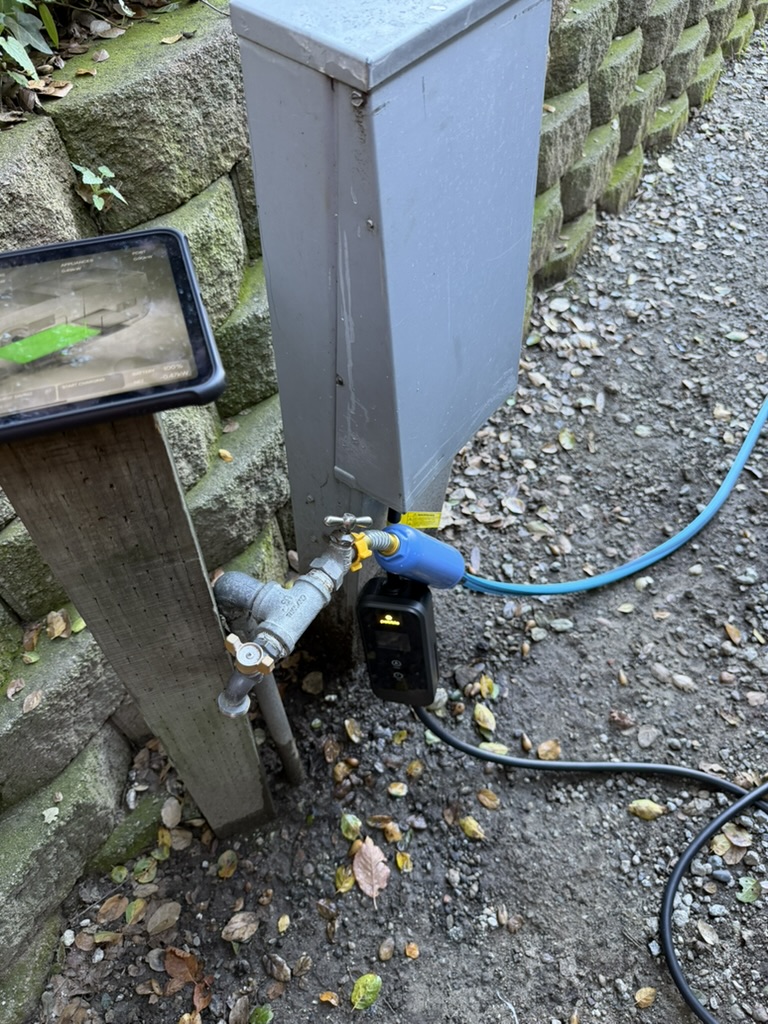
For those that haven't seen a typical RV setup, here is a picture from this past weekend. One thing to note is how bright the lights on the power adapter are. In close-quarter campgrounds I would appreciate being able to turn this off when it's dark outside.
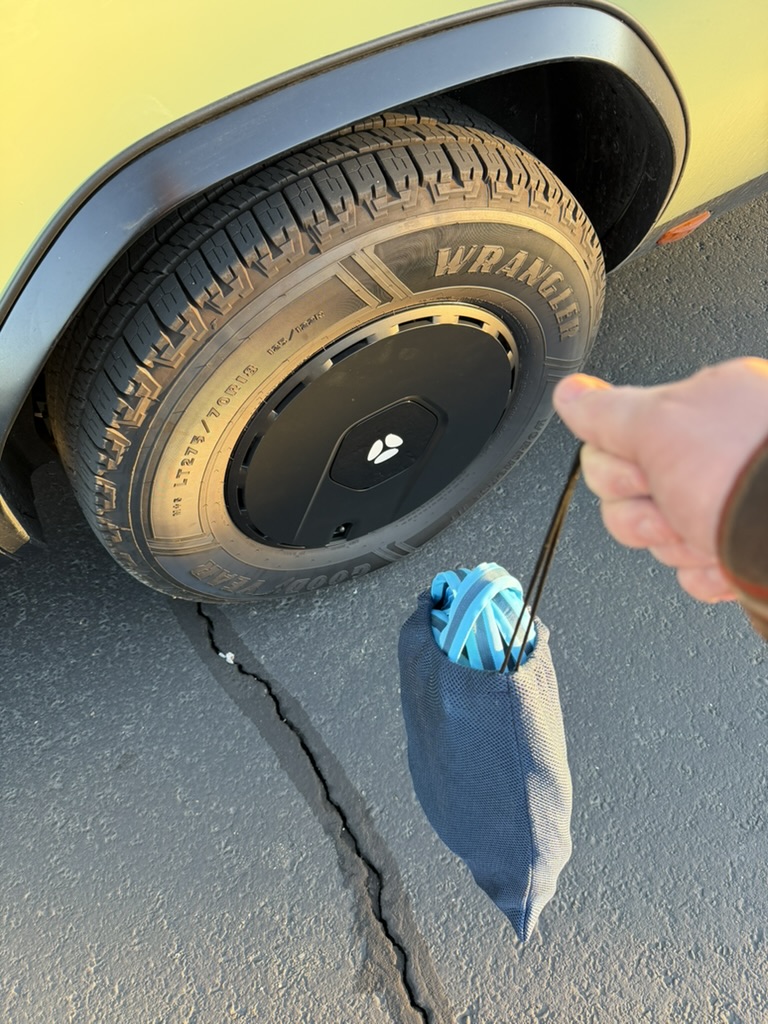
There is also a picture of the water setup we have been trying out. Instead of the standalone water filter, we have switched to an inline filter/hose. Packing is just a small water-hose bag.


RV surge protectors can work for EV chargers, but you need to make sure the specific model is compatible. Many of the more advanced models have power-monitoring features that misinterpret the power flow to an EV charger as a fault condition and turn off power. For example, Gen 1 Power Watchdog 50A units with Emergency Power Off (EPO) have trouble with Rivian Mobile Chargers, but the standard Gen 1 50A with no EPO works great. I would recommend reaching out to the manufacturers of the surge protectors you are considering and asking which devices will work with EV mobile chargers.
How about that electrical diagram that many have requested?
Here's a picture of the control screen on the Pebble charger. It has two buttons on the face. One cycles through charging-current options from 6A to 32A, and the other cycles through charge-delay settings in increments of one hour from 0 through 12. So it really is just a charging-delay option, not a true timer.
Better scheduling on charging would be nice, but what I think would be even better would be making the telemetry from the Pebble available on the iPad even when it's out of range of the Pebble's network—basically the same way I can see my EV's state of charge when I'm away from the vehicle. Pebble support was able to tell me my Pebble's SOC when I had a temporary iPad connectivity glitch after an OTA, so making that information available on the iPad appears to just require software updates; the hardware already supports it.